
For family representative payees and guardians
The records Social Security asks a payee for, kept all year.
PayeeKit is an iPhone ledger for the benefits you manage for someone else. It watches the SSI resource limit, keeps a receipt with every expense, and totals the year the way SSA's annual accounting asks. Everything stays in your own iCloud.
Free for iPhone. The annual report is free on every plan.
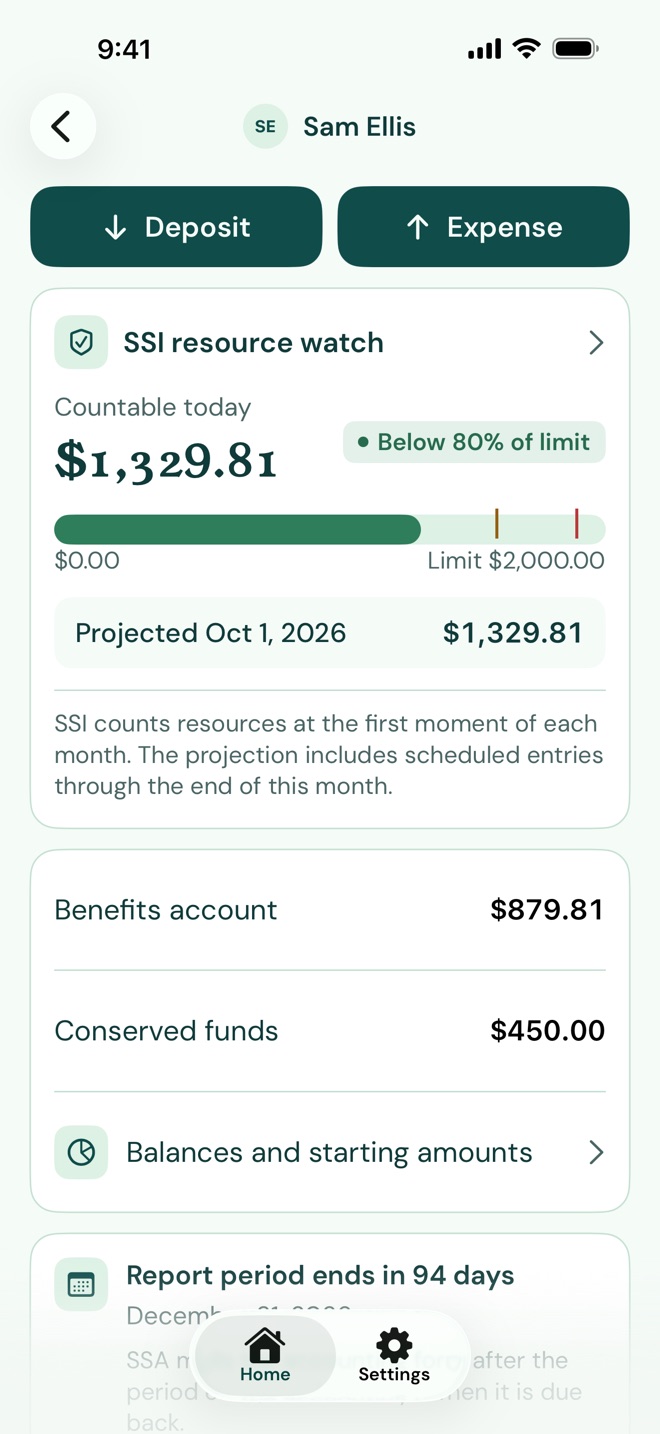
Know before savings cross $2,000
SSA counts an SSI recipient's resources at the first moment of each month. If they are over $2,000 at that moment, or $3,000 for a couple, there is no SSI for that month.
PayeeKit shows what counts today and projects the figure for the first of next month, including anything scheduled before then. It warns you at 80% of the limit ($1,600 for one person) and again at 95% ($1,900). The watch appears only for someone who receives SSI, since the limit doesn't apply to Social Security benefits on their own.
Every dollar in, every dollar out
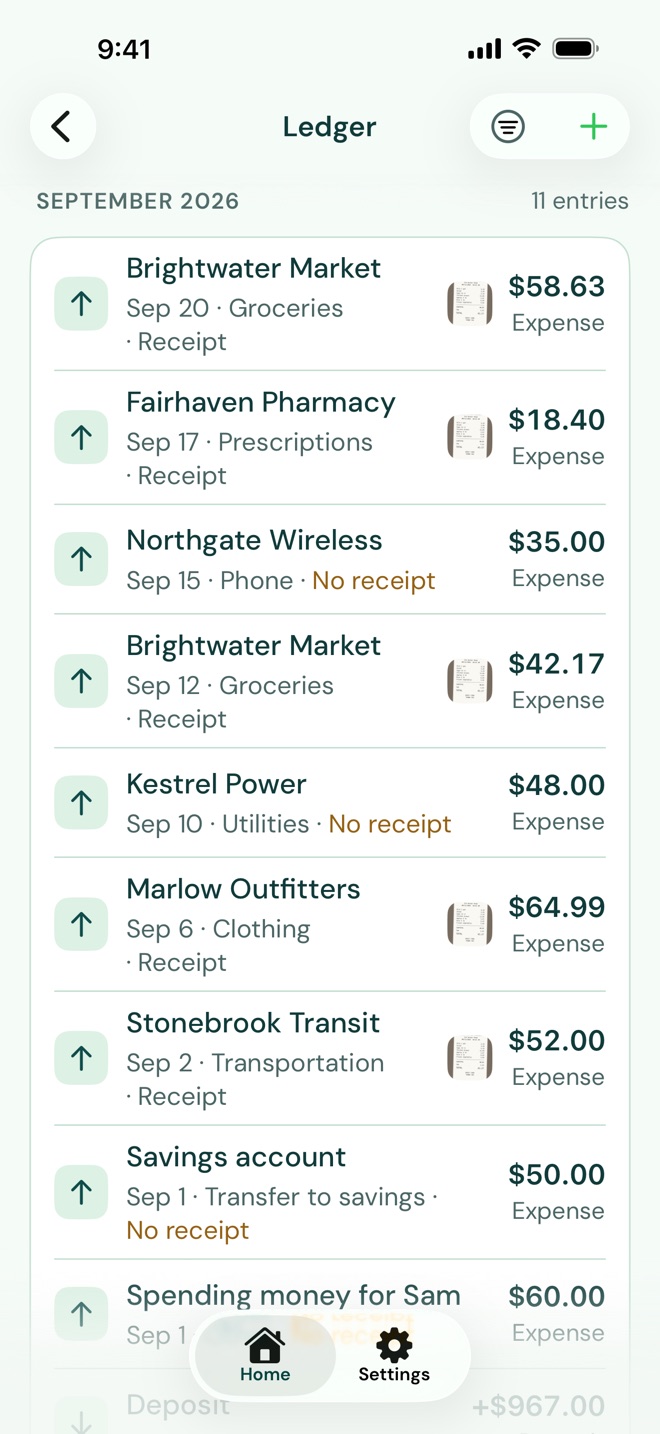
Log a deposit or an expense in a few taps. Each expense goes into one of the categories SSA's accounting asks about, so the year sorts itself as you go.
Photograph the receipt and it stays with the entry. Anything still missing one is marked, so you can see what to find before anyone asks. Monthly entries like the benefit deposit and rent post themselves on their day and wait for you to check them.
The yearly accounting, already totaled
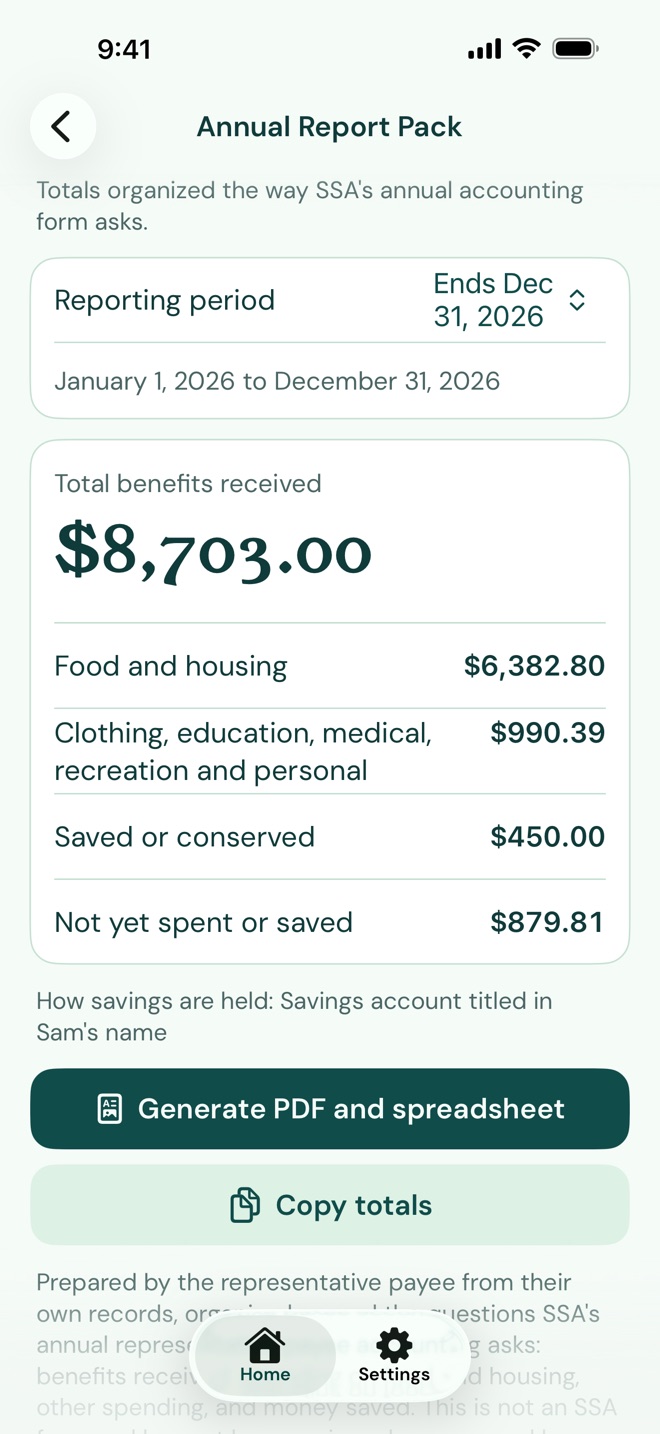
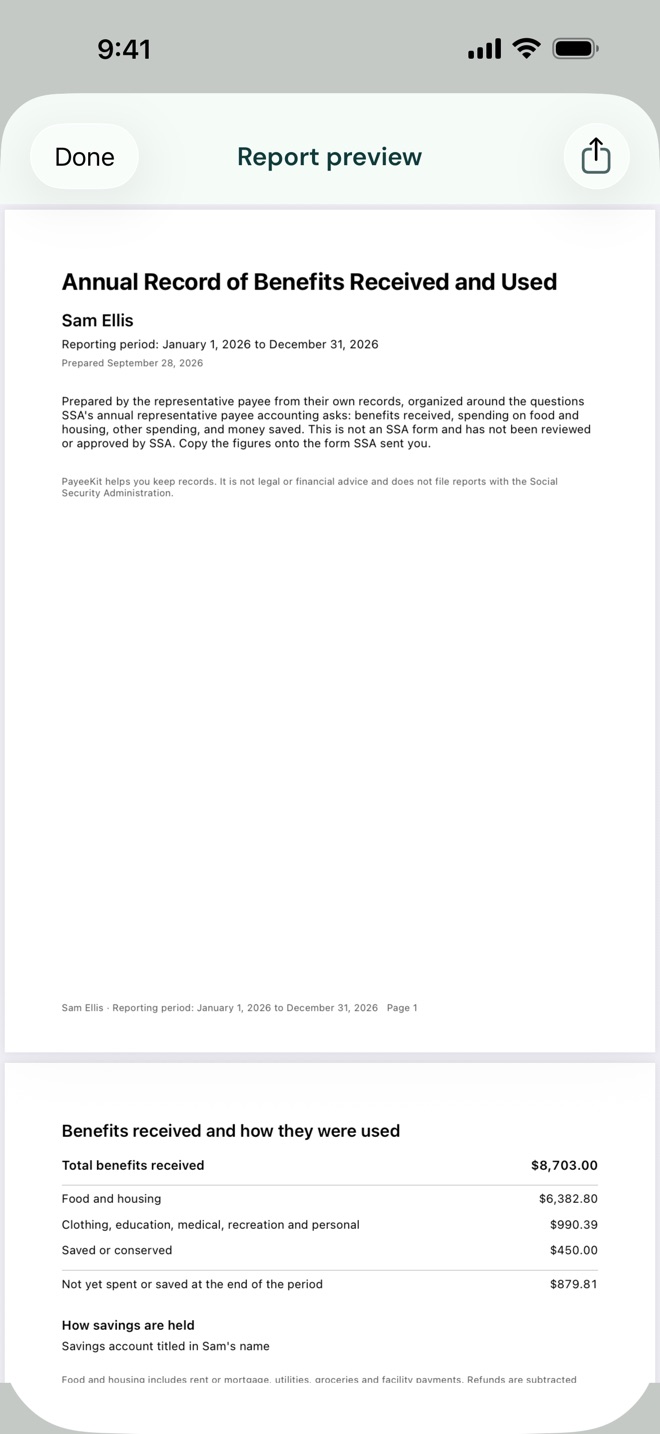
When SSA's accounting form arrives, open the Annual Report Pack. It shows the benefits received, spending in the categories the form asks about, and what was saved, for the reporting period SSA gave you.
One tap makes a PDF with a cover page, the totals, every entry and a page of receipts, and a spreadsheet beside it. You still answer SSA's form yourself, on paper or online. PayeeKit gives you the numbers and the records behind them.
The report is free on every plan, with no limit.
The rest of the job
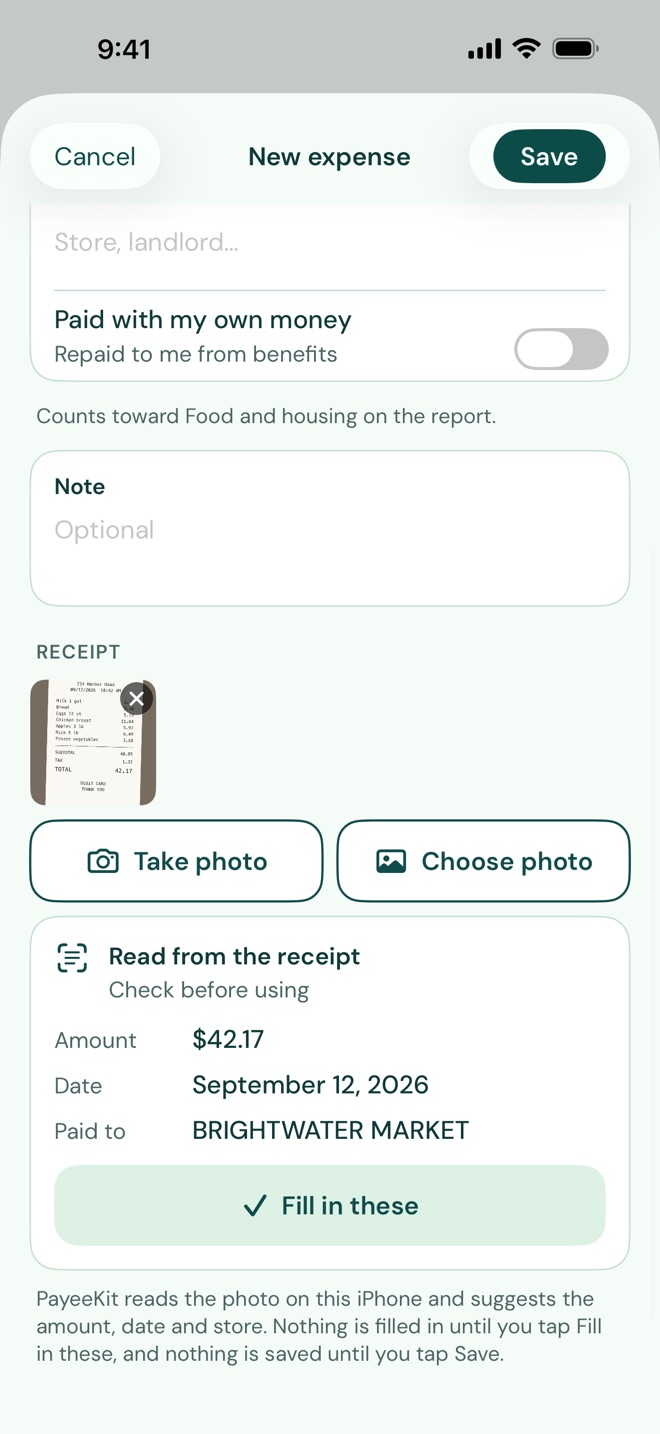
- Reading receipts
Photograph a receipt and PayeeKit suggests the amount, date and store, read on your iPhone. Nothing is filled in until you tap to use it. Part of PayeeKit Plus.
- Reconciling
Check the ledger against a bank statement, one entry at a time, until the difference is $0.00.
- Guardians
For a court-appointed guardian: visits, decisions, contacts and court dates, with a report for the annual hearing. Part of PayeeKit Plus.
- Documents
The award letter, the court order and other papers, kept with each person's records and scanned with the camera. Five per person on the free plan, unlimited with Plus.
- More than one person
Separate records for each person you manage benefits for. Part of PayeeKit Plus.
- Reminders
As the reporting period ends. Court dates too, with the guardian module in PayeeKit Plus.
Who PayeeKit is for
- A sister managing her brother's SSI
She tracks his rent, groceries and spending money so the numbers are ready when SSA asks, and so she sees it in time if his savings drift toward the limit.
- An adult child, after a parent's dementia diagnosis
Taking over as payee, often for the first time, and needing a plain place to log deposits and expenses without building a spreadsheet.
- A grandparent raising grandchildren
Managing survivors benefits for the children in her care, with records ready for a caseworker or a court.
- A parent of an adult with IDD in a group home
Checking a personal needs allowance against the facility's statement, and keeping a guardian's log of visits and decisions alongside the money.
PayeeKit is built for family members and individual guardians. It is not built or sold for agencies or organizations that serve as payee for people outside their own family. The Terms of Use have the details.
Why this exists
PayeeKit was built by a registered nurse with 15 years in IDD services, who spent much of that time supervising other people's payee accounts and sitting across the table from Social Security during reviews. The problem he kept seeing was people doing their best with a shoebox of receipts and no system built for the questions SSA actually asks. PayeeKit is the tool he wished every family payee had on day one.
Start with this month
Add the benefit deposit and this month's bills. Set the rent and the deposit to repeat, and the year's totals build from there.
PayeeKit helps you prepare and keep your own records. It does not represent you, does not act for you, and does not file anything with the Social Security Administration. It is not affiliated with or endorsed by the Social Security Administration, and it is not legal or financial advice.
You review, sign and submit whatever SSA or a court requires, through the channel they specify. PayeeKit never connects to a bank, never moves money, and never files anything for you.